

Redguard Portal User Guide
Welcome to the Redguard Portal User Guide. This comprehensive documentation is designed to help you navigate, configure, and maximize the value of your Redguard Portal security workspace.
The Redguard Portal is a high-density, multi-tenant, modern security monolith that unifies security audit and manual penetration test findings, secure file sharing via Data Rooms, and an integrated, real-time AI Security Assistant powered by Gemini.
Workspace Navigation
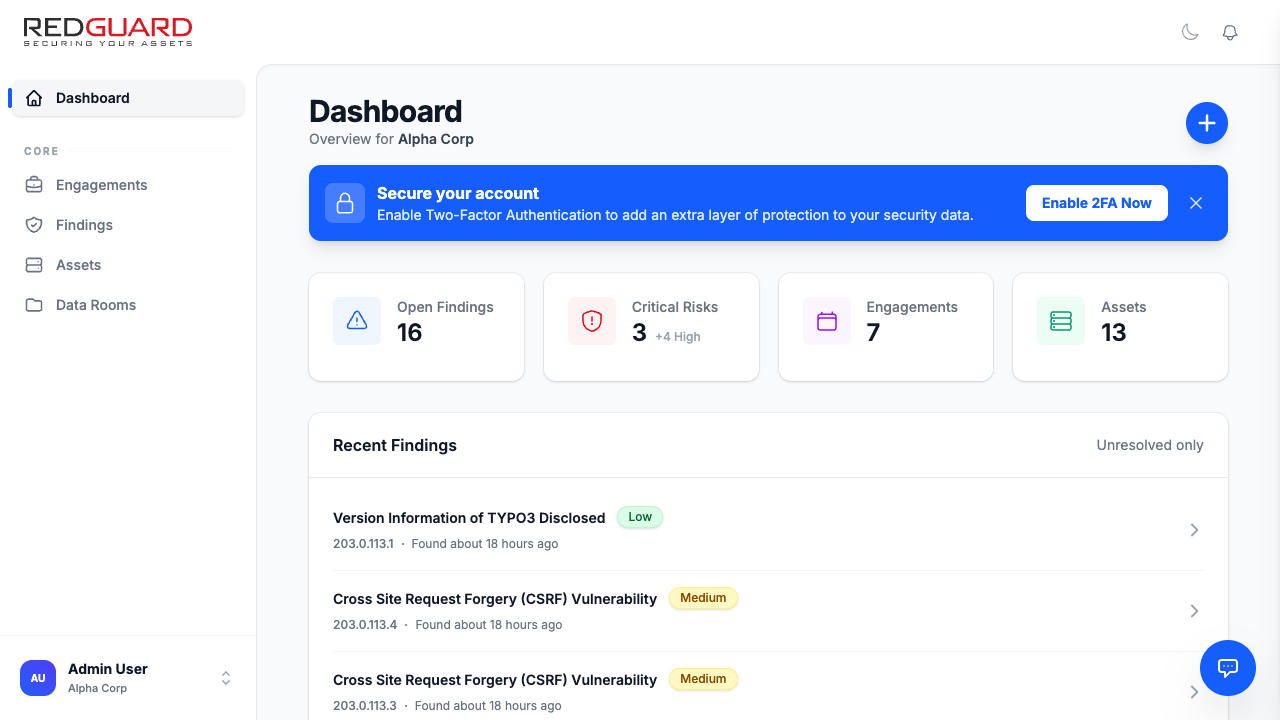
The Redguard Portal layout uses a sleek, responsive, high-density three-pane architecture:
- Left Navigation Sidebar (Workspace Shell): Quick access to the core modules: Dashboard, Engagements, Findings, Assets, and Data Rooms. Below that, your User Menu where you can switch active organizations and access settings.
- Center Frame (Main Content): The primary workspace where catalogs, lists, interactive graphs, and detailed records are displayed and managed.
- Right Collapsible Panel (AI Assistant): A real-time conversational sidebar that allows you to analyze findings, query assets, and draft remediation policies using natural language.
User Guide Directory
Please explore the different sections of the user guide below to learn more about specific portal modules:
- Getting Started
- System authentication and Multi-Tenant login.
- Navigating and switching organizations.
- Configuring Two-Factor Authentication (2FA) and profile preferences.
- Assets & Inventory Management
- Categorizing assets (IP addresses, Domains, URLs, Container images).
- Structuring Asset Groups.
- Mapping assets directly to identified vulnerabilities.
- Findings & Remediation Lifecycle
- The vulnerability lifecycle (New, Triaged, In Remediation, Resolved, False Positive).
- Consolidating and merging duplicate/overlapping findings.
- Custom Fields
- Defining custom attributes at the Organization or Asset Group level.
- Supported custom field types (Boolean, Select, Tags, Person, etc.).
- Automatic database sweeps and reordering.
- Engagements & Security Services
- Penetration testing engagements and audit scopes.
- Managing client deliverables and scope documents.
- Requesting Retest Verifications to confirm vulnerability fixes.
- Ordering professional manual security assessments.
- AI Security Assistant
- Interacting with the Gemini-powered sidebar.
- Leveraging the Human-in-the-Loop validation triggers.
- Administrative controls and organization-level AI toggles.