

Assets & Inventory Management
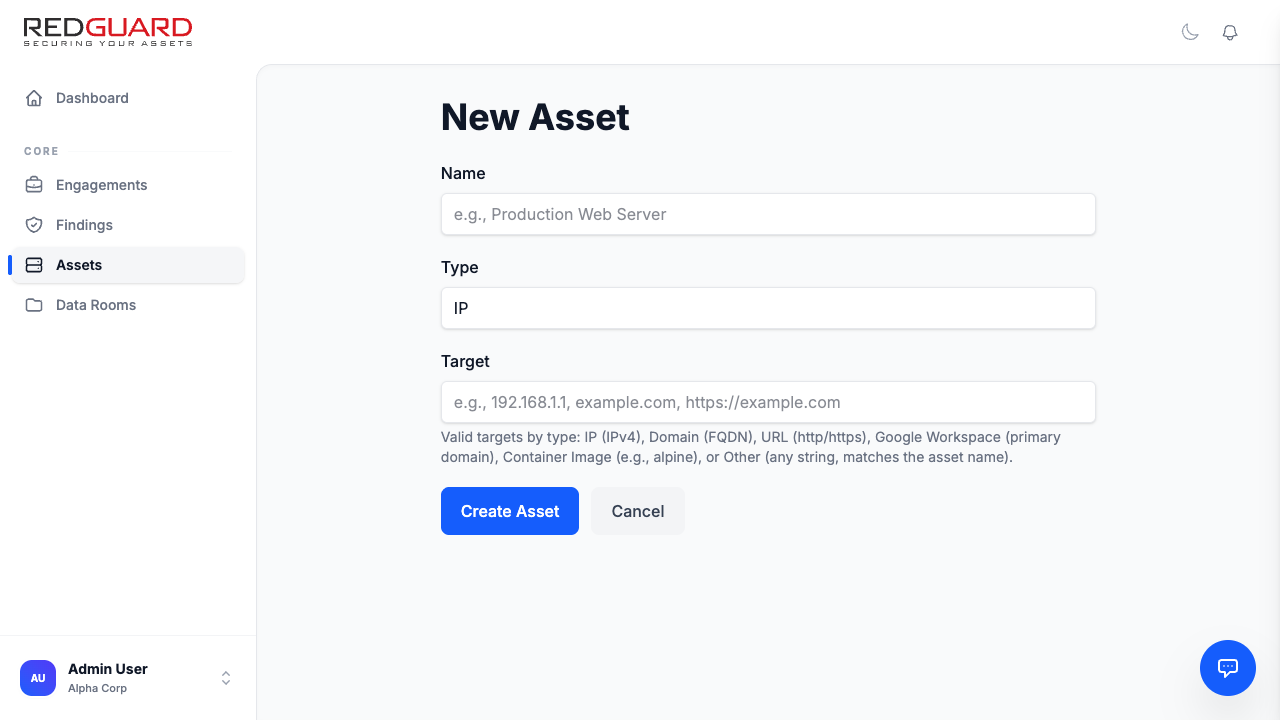
Protecting your organization requires a complete, continuous, and well-structured inventory of all digital resources. The Redguard Portal allows you to define assets and organize them into Asset Groups to systematically track your attack surface.
Assets Catalog
An Asset represents any distinct digital entity within your network or software architecture.
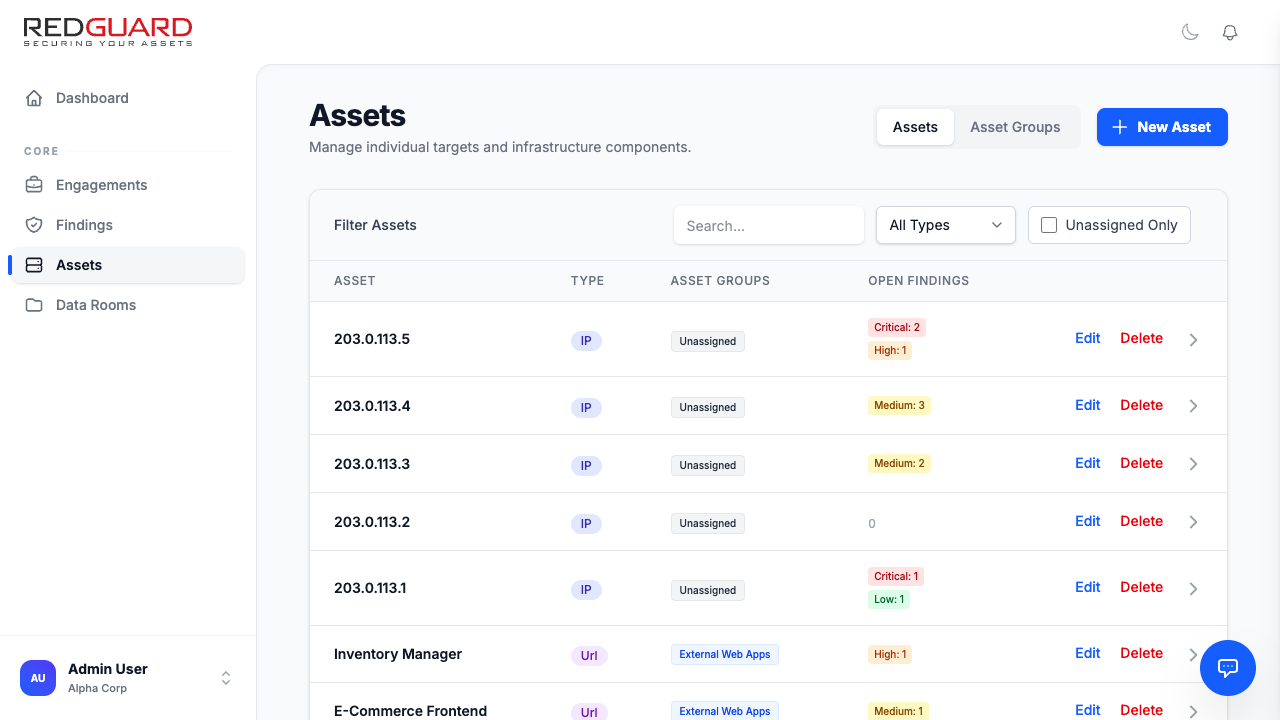
Redguard supports several core asset types:
- IP Addresses: External and internal network endpoints (e.g.,
203.0.113.5). - Hostnames/Domains: Public-facing domain names (e.g.,
marketing.alphacorp.com). - Web URLs: Specific web application endpoints (e.g.,
https://shop.alphacorp.com/api). - Container Images: Docker or OCI images inspected for library-level software vulnerabilities (e.g.,
alphacorp/frontend:latest).
Asset Groups
Asset Groups are logical collections of assets that share a common security posture, operational environment, or business owner. Organizing your assets into groups makes it easier to assign responsibilities, track custom fields, and link assets directly to identified vulnerabilities.
Typical Asset Group Alignments
- Public Web Applications: All external web properties and public APIs.
- Critical Production Infrastructure: Database clusters, key internal web servers, and back-end services.
- Corporate IT Network: Internal workstations, office infrastructure, and employee portals.
Associating Assets with Findings
Every finding or security vulnerability is bound to one or more assets in your inventory. This mapping provides complete visibility into which servers or applications are exposed, facilitating precise mitigation instructions for your engineering teams.